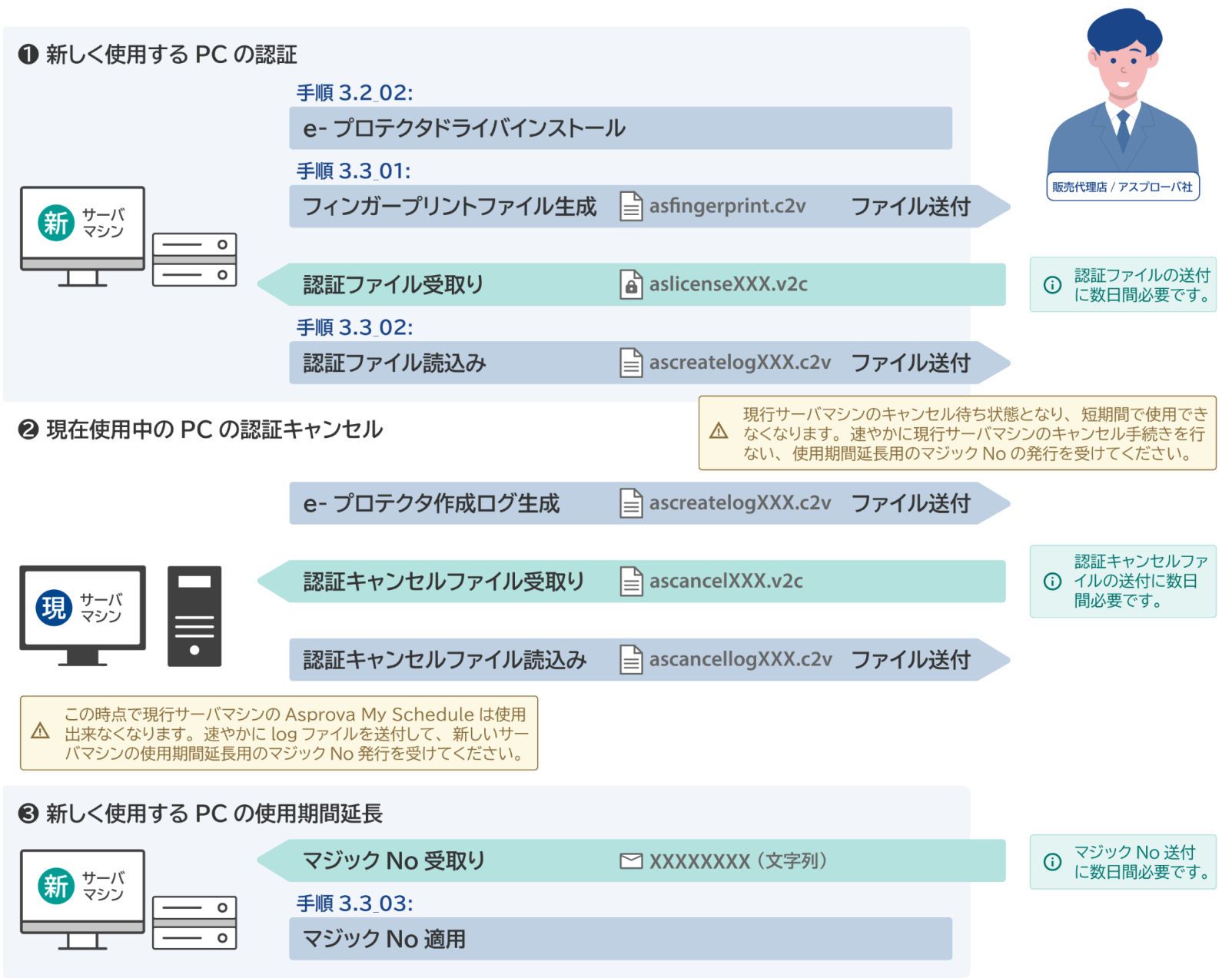
Moving an e-Protector to another machine
When you change the PC you use — replacing hardware, for example — carry out the operations in this order:
- Authenticate the new PC.
- Cancel the authentication on the PC currently in use.
- Extend the new PC's usage period.
Files have to be exchanged with Asprova Corporation through your distributor at each stage, and each exchange takes several days. Plan the move accordingly.
1. Authenticate the new PC
- Install the e-Protector driver — see e-Protector driver.
- Export the fingerprint file and send it to Asprova Corporation through your distributor — see Get a fingerprint file.
- Read in the certificate file — see Apply the certificate file.
Applying the certificate file downloads a file named ascreatelogXXX.c2v (XXX being the serial
number). Send that file to Asprova Corporation through your distributor.
2. Cancel the authentication on the current PC
-
Sign in to My Schedule as the administrator account. On the Server settings screen, press [Manage license information].
-
In the License authentication management window, press [Get e-Protector creation log].
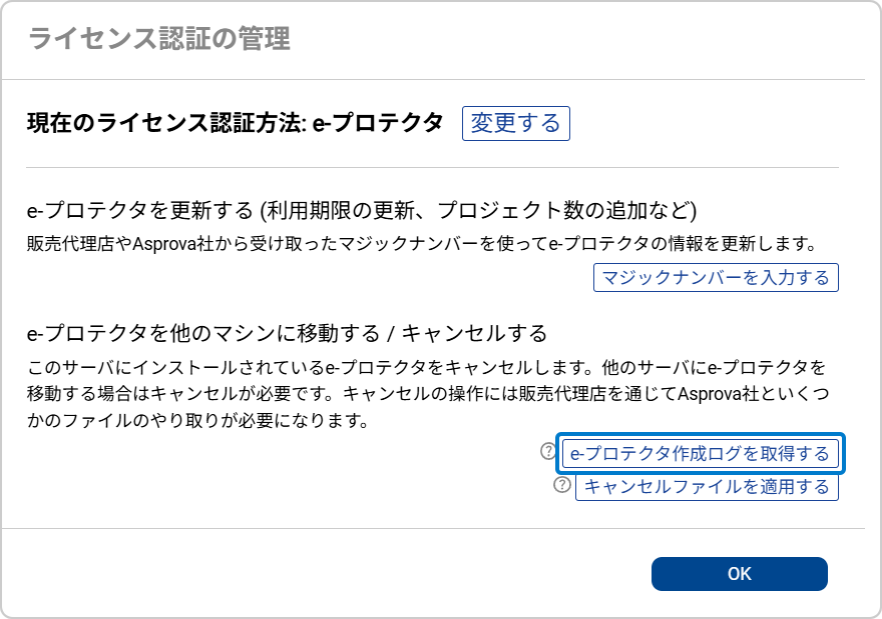
-
A file named
ascreatelogXXX.c2vis downloaded. Send it to Asprova Corporation through your distributor.Asprova creates the cancellation file from what you send. Allow several days for it to arrive.
-
When you receive the cancellation file, press [Apply cancellation file] in the License authentication management window and read in the cancellation file, named
ascancelXXX.c2v.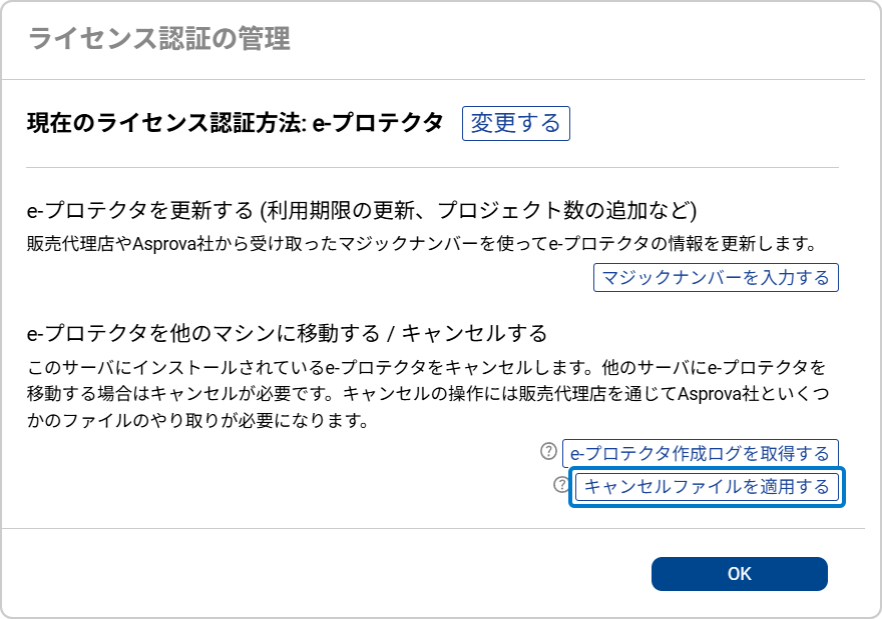
-
Reading the cancellation file downloads a file named
ascancellogXXX.c2v. Send that file to Asprova Corporation through your distributor.
3. Extend the new PC's usage period
A magic number is issued to extend the new PC's usage period. Enter it as described in Renew with a magic number.
The whole exchange at a glance
The step numbers in the diagram match the steps in this documentation.